Web · 2026 · Project 07
Chess Vision
An interactive chess board that visualizes vision, contested squares, and threat lines — plus a Firefox add-on that overlays the same tools on chess.com.
- Status
- Live
- Role
- Design, engine logic, browser extension
- Timeline
- Two iterations
- Stack
- JavaScript, SVG, WebExtension, Board geometry
The problem
Chess players are told to “see the whole board.” That is advice, not a method. Beginners move a piece and only then notice what it now defends, attacks, or abandons.
I wanted a training overlay that makes vision explicit: click a piece, and see every square it can reach, every square it contests, and the lines along which it exerts pressure.
What I built
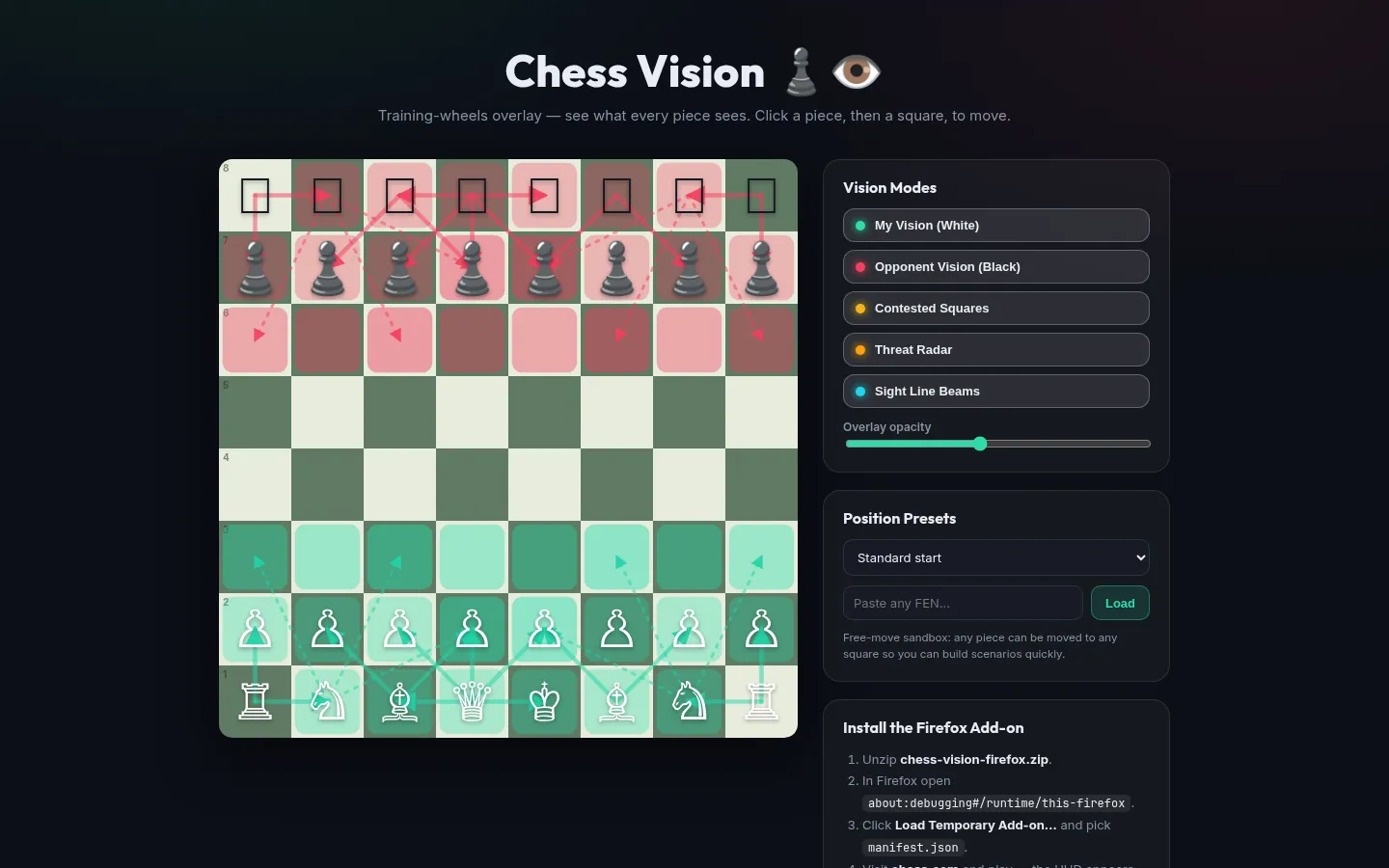
An interactive board with five overlay modes:
- My vision — every square the selected side can move to or defend.
- Opponent vision — the same from the other side, in a contrasting color.
- Contested squares — where both sides have influence, which is usually where the tactics are.
- Threat radar — pieces currently under attack.
- Sight line beams — the actual rays a sliding piece travels, which makes pins and skewers legible.
Plus position presets for common patterns, free-move sandbox mode for building a position, FEN import, and adjustable overlay opacity so the board stays readable underneath.
The browser extension
The web app is useful for study. The extension is what makes it practice: the same overlay injected into chess.com, toggled with a key press. It runs as a temporary add-on loaded through Firefox’s debugging tools; signing it for permanent distribution would be the next step.
Technical notes
The board is an 8×8 grid with a square-index model, so movement, attack generation, and overlay rendering all speak the same coordinate language. Vision is computed by ray-casting from each piece until it hits the edge or a blocker, which keeps the logic simple enough to extend.
The overlay is SVG rather than a canvas so every highlighted square remains inspectable and accessible, and the DOM stays small enough to keep interaction responsive.
What I learned
A visualization is only useful if it answers a question the user already has. My first version highlighted every attacked square at once and looked impressive; it was unreadable. The version that works shows one idea at a time and lets the learner add complexity.
Honest limits
This is a training aid, not an analysis engine. It does not evaluate positions or suggest moves, and the extension is a temporary-install tool rather than a signed store listing.
What this proves for your business
- I can build a genuinely interactive interface, not a static mockup.
- I can take a tool from a web page to a browser extension without losing the core logic.
- I care about the difference between decoration and an actually useful visualization.